Create or import a plan
Build your own routine, pick a template, or import a plan from photos or text.
Free workout tracker for iPhone & Apple Watch
Build your own routine or import a plan from a photo. Log strength and cardio, follow your progress, and train from your iPhone or your wrist — even offline.
 Free · iPhone & Apple Watch
At a glance
Build your own routine, pick a template, or import a plan from photos or text.
Log sets, reps and weights. Time cardio intervals with distance and pace, with automatic rest timers between sets.
See exercise progress charts, compare weights and reps over time, and track body weight in kg or lb.
Check off sets, adjust weights and time intervals on Apple Watch. Your workout stays in sync with your iPhone.
App preview
Explore ways to create a program, see what a workout session looks like, and choose a color theme that feels like you.
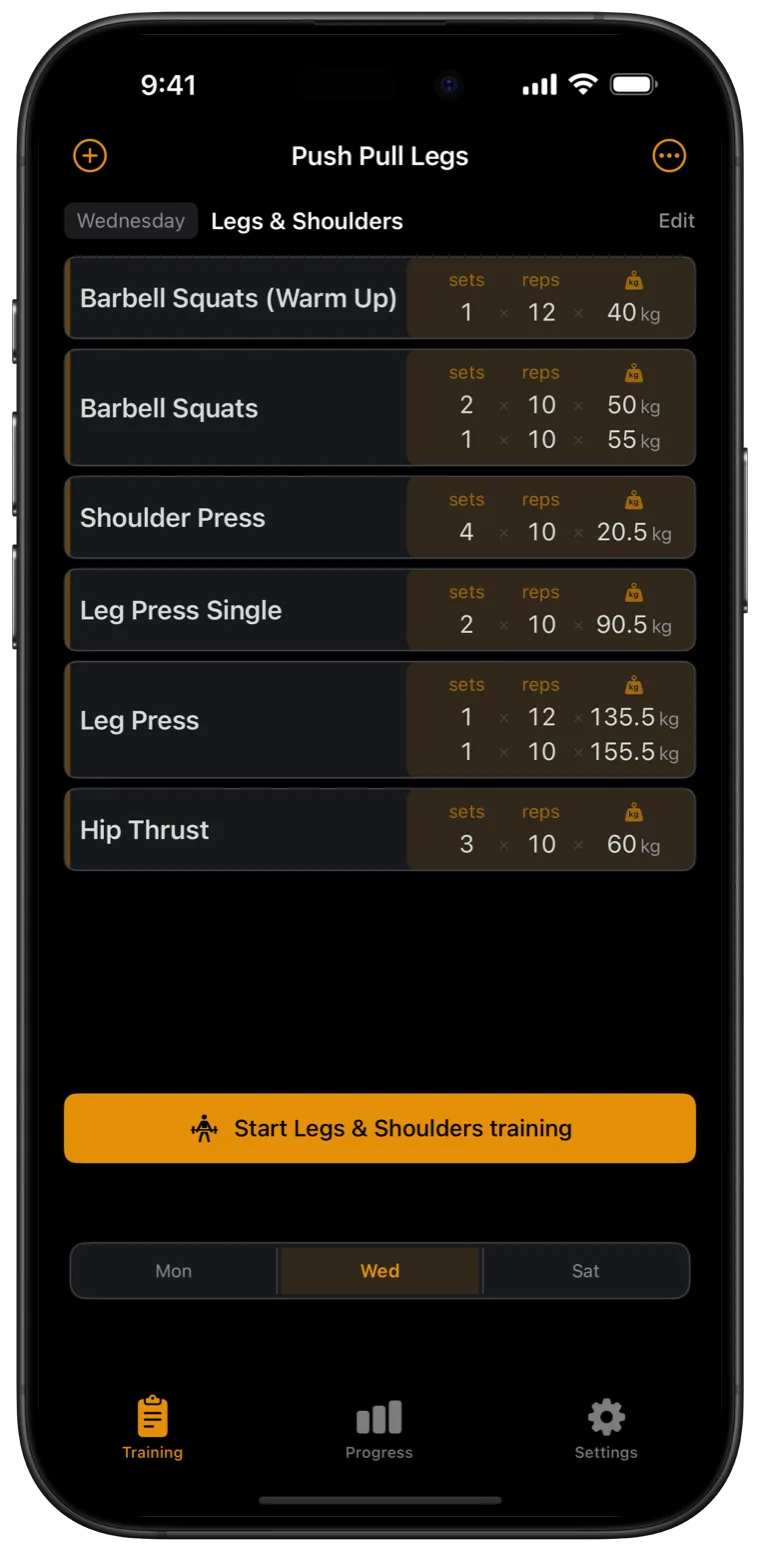
Your own routine
Bring the plan you already use. Import up to six photos or paste the text, then organize your sessions for the week. You can also start from 5×5 or Push/Pull/Legs.
Free AI import credits included. Additional imports are available as a one-time purchase. See pricing.
During your workout
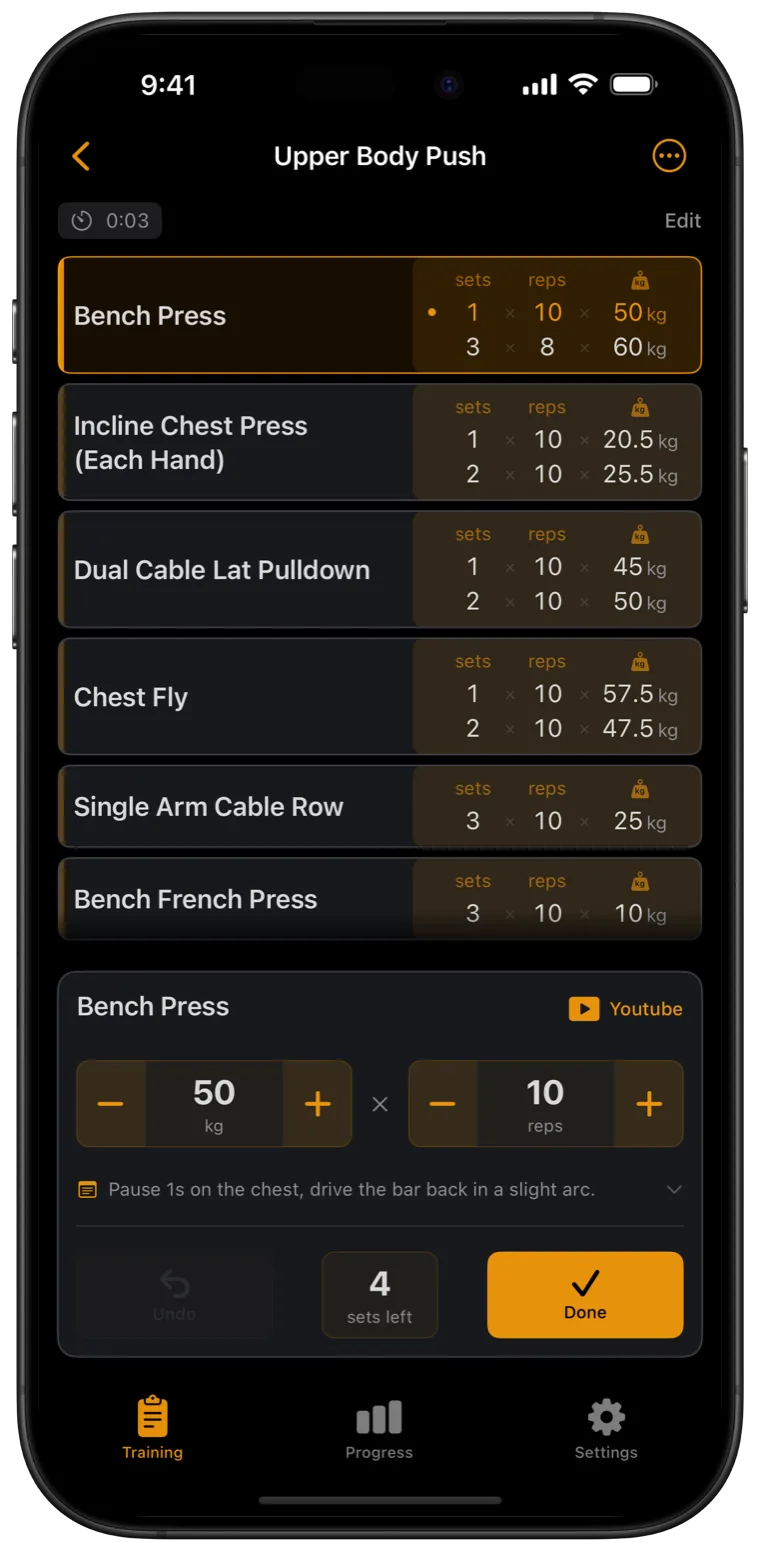
Adjust weight and reps as you go. Tap Done to log a set and start your rest timer.
Apple Watch
Start or continue a workout from your wrist. Your watch and iPhone stay in sync, set by set.
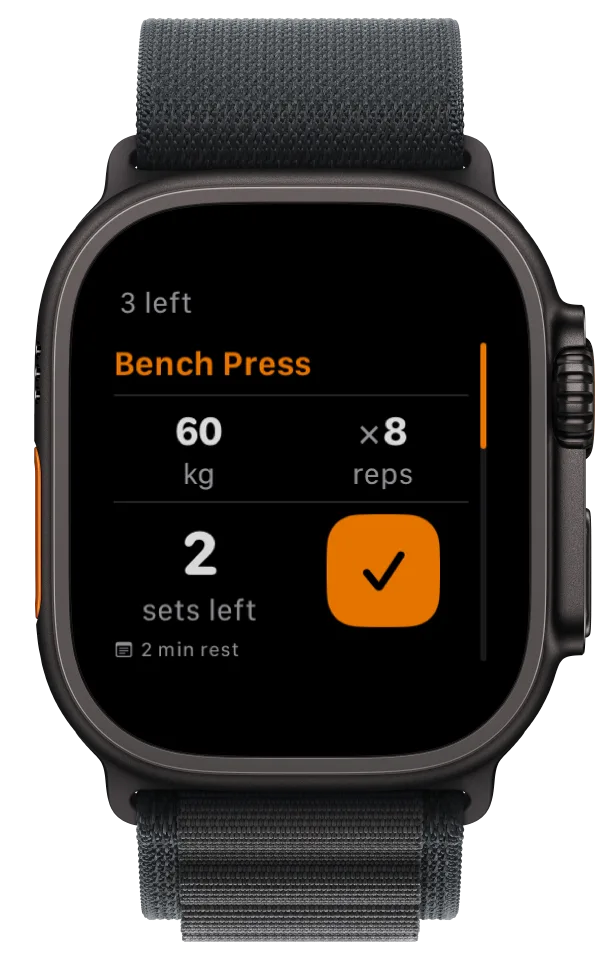
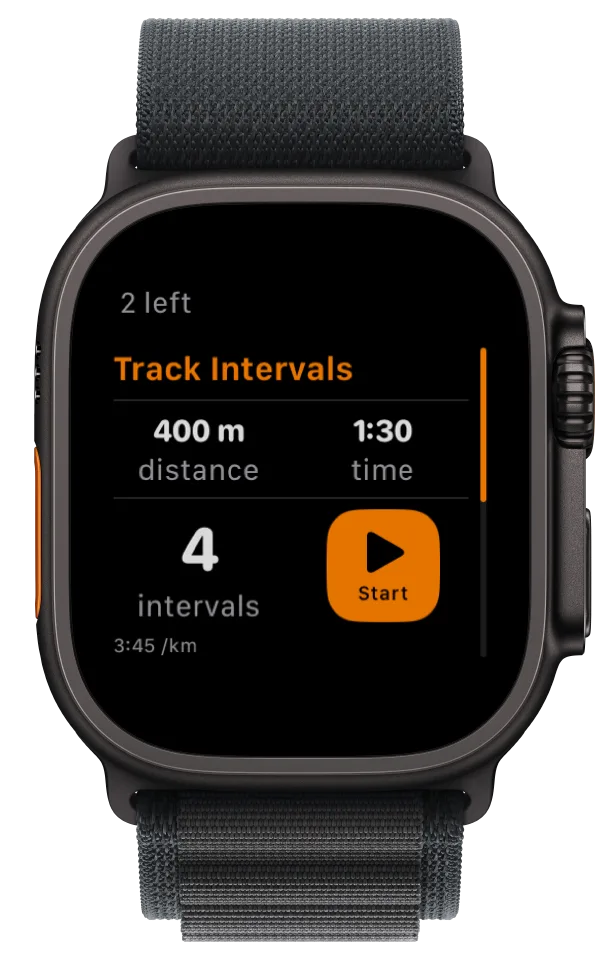
One tap on the wrist logs the set and starts your rest.
Dial weight, reps and sets without touching your phone.
See how fast your heart rate drops during rest.
Start and stop cardio intervals with distance and pace.
Pricing
Create unlimited programs, log workouts, see your full history and use Apple Watch for free. No ads, subscription or trial that runs out.
Optional tips support the indie developer. All features stay the same.
Privacy
No account, no ads, no third-party analytics, no tracking.
Your workout and body-weight history are stored on your device. Text is recognized on your phone; photos are never uploaded. AI program import sends only the program text for real-time processing and doesn't keep it.
Read the privacy policy →And the details
Time runs, rows and rides. Log distance, time and pace in km or mi alongside your lifts.
Sync body weight and save cardio workouts to Apple Health, if you choose.
Make it yours — from quiet dark to loud and bright.
Your whole history as JSON or CSV, any time. It's yours.
Hand your program to a training partner with a single scan.
From Czech to Japanese, with localized units and weekdays.
FAQ
Yes. Workout tracking, unlimited manual programs, full history and Apple Watch are free. AI import includes free credits; additional imports come in one-time packs of 30. No ads or subscription.
No. Open the app and start training — no sign-up, no email, no password.
Yes. Workout tracking and QR sharing work offline. AI program import needs an internet connection.
No. GymRat works fully on iPhone. Apple Watch lets you control the workout from your wrist.
Add up to six photos of your plan. Your iPhone recognizes the text; AI turns it into an editable program. Photos stay on-device, and the processed text isn't stored.
Yes. Settings ▸ Your Data exports your whole history as JSON or CSV, whenever you want.
Yes. Time intervals with a stopwatch and log distance, time and pace alongside your strength exercises.
Not right now. GymRat is for iPhone (iOS 17 or later) and Apple Watch.

Free on iPhone and Apple Watch. Requires iOS 17 or later.